
How to Submit Local Events: A Newsreader’s Practical Guide
A clear, step-by-step explainer for submitting events in the USA, with real-world tips, pitfalls to avoid, and concrete options for readers of a news site.

Newsrooms often rely on community calendars to show what’s happening nearby. This explainer walks readers through what submitting an event entails, why it matters for coverage, and how to do it in practical terms. You’ll learn the exact steps, common pitfalls, and useful tips so your submission reaches editors and audiences efficiently.
If you’re unsure where to start, this piece maps the process from idea to publication. It also explains why timely, accurate submissions help readers understand local opportunities and risks.
By the end, you’ll know two or three solid paths to share your event with the right outlets and avoid common delays that slow coverage.
- Submitting events to a news site requires precise data and a clear angle. Start with the essential facts and follow the outlet’s format exactly.
- Use the right channel for your market and check guidelines before sending. Clear, complete submissions speed publication.
- Readers benefit when calendars reflect timely, accurate information that helps plan local activities and understand community life.
Basics of event submission
What counts as an event
Begin with a clear, concise event title and the exact date and time. Include the location, and one sentence on what makes the event noteworthy to readers. This helps editors decide if it fits the calendar and whether it should run in breaking news or community sections. submit an event in the USA
- Draft a concise title and summary.
- Add date, time, and venue precisely.
- Provide contact details and any eligibility notes.
- Provide a short description (2–3 sentences) that answers who, what, when, where, and why.
- Offer a contact method for follow-up questions.
- Include any required accessibility or safety notes for attendees.
Where to submit
Most communities use a city calendar, a regional news portal, or a chamber site. Check if the outlet accepts email submissions or has an online form. If you’re sending by email, include a subject line that mirrors the event title and the date.
- Find the calendar page on the outlet’s site and read submission guidelines.
- Use the exact format they request (PDF, text block, or form).
- Attach or paste essential details only to keep the review fast.
Why it matters to readers
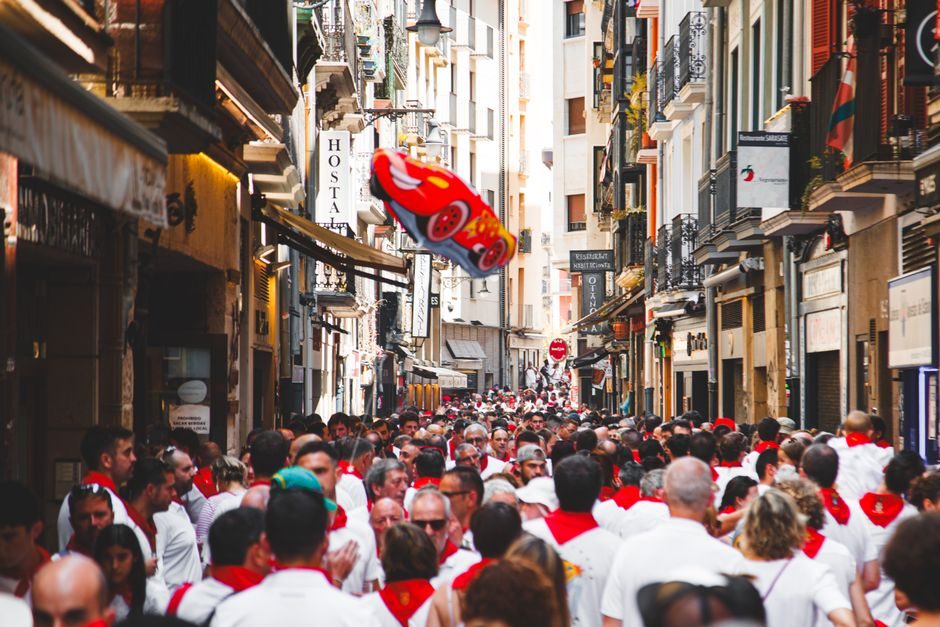
Timely listings build trust
Readers rely on calendars to plan their weekends and stay informed about local opportunities. Accurate listings reduce confusion and prevent duplicate postings. Clear times and venues cut back-and-forth emails, speeding editorial review. educationnv.com news
- Readers trust calendars that show verified details.
- Editors appreciate completeness that minimizes follow-up.
- Accurate times prevent planning errors for attendees.
Impact on coverage
A well-structured submission can turn a quiet listing into a visible community story. Journalists may expand a simple event into sidebars, feeds, or alerts when the data is complete. This matters for readers tracking local happenings.
- Complete details invite deeper coverage.
- Structured data aids automation and search.
- Good submissions reduce newsroom workload.
How to format your submission
What to include
Begin with key facts: event name, date, time, location, and a short one-sentence angle. Add a longer paragraph if the outlet allows a description. Include accessibility notes or special instructions only if relevant. USA business listings
- Keep it short and factual.
- Check date and location accuracy.
- Provide contact details for follow-up.
- Event name, date, time, venue, city
- One-sentence angle or purpose
- Contact email or phone for follow-up
| Option | Pros | Cons |
|---|---|---|
| Online city calendar | Widest local reach | May require strict templates |
| Chamber or nonprofit site | Trusted community source | Limited visibility outside its audience |
| Newsroom tips line | Direct path to editors | May have longer approval times |
Common formatting choices
Many outlets prefer a single paragraph for the event description plus a bulleted list of key facts. Some want a short lead sentence that frames why the event matters. Use bold for titles only if the system supports it; otherwise rely on plain text for compatibility.
Treat all submissions as public information and provide a clear point of contact for corrections or disputes.
Pitfalls to avoid

Common submission mistakes
Missing date, unclear venue, or vague descriptions slow editors and risk missing the event. Ensure spellings match on all references and that the time zone is correct. Double-check contact details to prevent follow-up delays. post a classified ad in the USA
- Incomplete fields lead to rejection
- Mismatched dates or venues cause confusion
- Wrong time zone creates scheduling errors
Legal and ethics notes
Respect privacy and avoid sensitive details. Do not publish allegations or unverified claims about individuals. Treat all submissions as public information and provide a clear point of contact for corrections or disputes.
- Do not share unverified details.
- Present only verifiable facts.
- Offer a clear correction path if needed
Finding the right publication
Choosing the target outlets
Start with outlets that match your event’s scope and audience. Look for platforms that publish community calendars or press releases from local groups. Verify their submission guidelines before you start to avoid drafts that won’t be read. place an obituary in the USA
- ☐ Scan local newsroom pages for submission tips
- ☐ Create a 60-word briefing with date, time, and venue
- ☐ Attach any official press materials or flyers
Tailor your pitch to the outlet’s typical readers: residents, commuters, or interest groups. Include essential details—date, time, location, and a contact name—so editors can quickly assess relevance. If the outlet has a live calendar, note the submission deadline and preferred formats.
Prepare a one-sentence summary of why the event matters to readers, emphasizing local impact. This helps reporters decide quickly if the story fits their beat. Keep the tone factual and avoid hype to preserve newsroom credibility.
- Identify community calendars and ask editors about their preferred submission method
- Collect basic facts: what, when, where, who
- Draft a concise, reader-focused summary for quick editor review
Different pathways for visibility

Email submissions versus online forms
Email submissions work well for feature ideas and longer descriptions. They let you include attachments such as PDFs or flyers. Online forms, by contrast, enforce required fields, reducing back-and-forth edits.
- Match submission method to the outlet you’re targeting
- Include a clear, reader-focused angle
- Provide contact details for follow-up
If you use email, lead with the most important details and keep the body short. In the subject line, include the event name and date to speed up triage. For forms, double-check that each required field is filled before sending.
When possible, provide a media-friendly version of the event, such as a one-paragraph summary and a high-res image. Editors appreciate ready-to-publish copy that minimizes production time.
- Email: lead with essential facts
- Online forms: complete all required fields
- Provide a ready-to-publish summary and image
Leveraging social and community channels
Some outlets pull events from community groups’ social pages or partner calendars. Maintain a consistent posting cadence and keep events up-to-date. Engage with local channels respectfully to build newsroom familiarity.
Coordinate cross-posts with the event page on the organizer’s site to ensure consistency. Editors may notice duplicate postings but prefer clean, non-conflicting information. Always confirm dates and locations are identical across platforms.
For smaller outlets, offer a ready-to-publish version with a short lead and a photo credit. This helps busy editors fill gaps in daily schedules.
- Share through established community channels
- Keep event details synchronized across platforms
- Provide ready-to-publish copy and media
Final checks and ongoing tips
Quality control before submission
Double-check dates, venues, and contact names for accuracy. A single error can delay coverage or undermine credibility. Read the copy aloud to catch awkward phrasing or misused terms.
Ensure the tone remains objective and informational, avoiding promotional language. Newsrooms prefer neutral descriptions over hype-y language that resembles advertising. Prepare a one-sentence why it matters to readers that editors can quote.
Confirm submission deadlines and any embargo rules. If a manager expects timely updates, set reminders to recheck the event status as it approaches.
- Verify all essential facts
- Maintain neutral tone and objectivity
- Note deadlines and embargo terms
When you receive a confirmation from a newsroom, store the reference number and respond promptly to any follow-up questions. If there is no response after a reasonable period, a polite reminder can help keep your event on the radar. Build a small library of boilerplate copy for different event types to speed future submissions.
Keep a calendar of recurring submissions so you don’t miss opportunities around holidays or local festivals. Regular contributors often gain preferred placement during busy news cycles. If the event changes, notify editors immediately with updated details.
Over time, track what kinds of events tend to be picked up and refine your pitches accordingly. Observing patterns helps you craft more useful submissions for readers.”
Frequently asked questions
Can I submit more than one event at once?Yes. If multiple events share a common venue or organizer, you can send a single batch with a clear list of each event’s key facts. Make sure each item remains independently verifiable and easy for editors to scan.
What happens after I submit?Editors review submissions on a rolling basis. You may receive a confirmation email or a request for additional information. If the event becomes unavailable or changes status, inform the newsroom promptly to avoid misinformation.
Do outlets require media with the submission?Media helps readers connect with events. If you don’t have a photo, offer a neutral graphic or map, and include a caption. Always confirm you have rights to use any image.
How can I improve chances of pickup?Provide a concise, reader-focused angle and fill every required field. Keep the description neutral, verify all details, and offer ready-to-publish materials. Follow up sparingly if there’s a confirmed deadline.
Glance at the publication pipeline
In practice, a smooth submission process aligns organizer needs with newsroom expectations, enabling faster, clearer coverage for local readers. The better-prepared your initial pitch, the easier it is for editors to fit your event into their calendars.
Next, build a habit of maintaining current event records, including dates, venues, and media credits. Regular hygiene of your submissions reduces last-minute scrambles and boosts your credibility with local editors.
Add Solar Eclipse as a preferred source on Google


